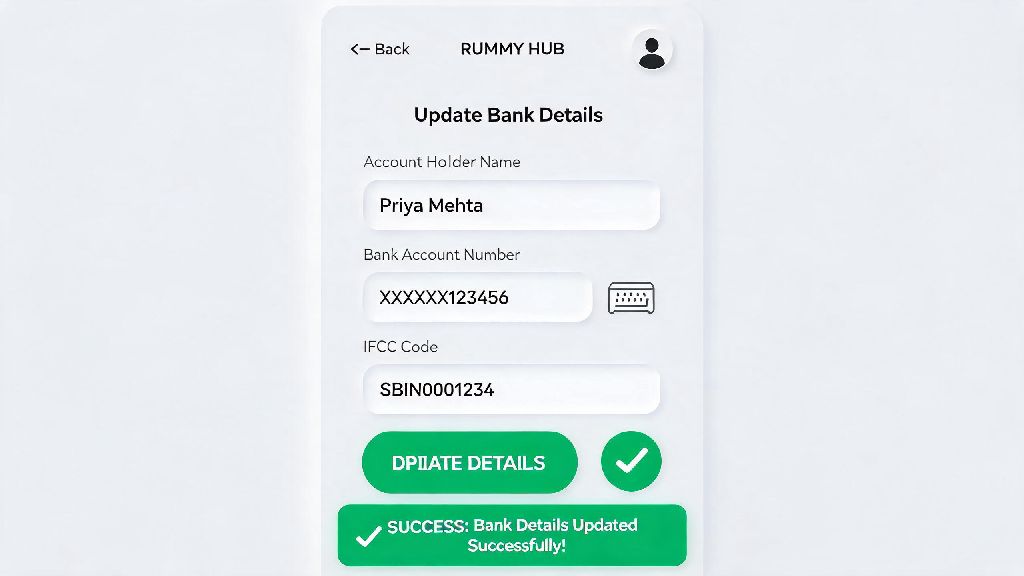
If you play real-money rummy regularly, you’ve probably run into a situation where your linked bank account is no longer active, or you’ve switched to a new bank that offers better transaction benefits. Outdated bank details on your rummy account are one of the top reasons for delayed or failed withdrawals, and fixing the issue after you’ve already requested a payout can take weeks. In this guide, we’ll walk you through exactly how to change bank details in Rummy Circle, with all the tips you need to avoid common mistakes and get your update approved fast.
When Do You Need to Change Bank Details in Rummy Circle?
You don’t need to wait until you run into a withdrawal issue to update your bank details, of course. There are plenty of valid, common reasons to make a change before you request a payout, and doing it proactively saves you a lot of hassle later. Never leave outdated bank details on your rummy account, even if you only play occasionally, because you never know when you’ll win a prize you want to withdraw right away. Some of the most common reasons players update their details include:
If any of these apply to you, it’s a good idea to start the update process as soon as you can, instead of waiting until you have a pending withdrawal.
Pre-Requisites to Complete Your Bank Detail Update Smoothly
Before you log into your account to make changes, there are a few things you need to have ready to make sure your request gets approved on the first try. Missing even one of these will lead to an automatic rejection, and you’ll have to restart the whole process. First, your new bank account has to be registered under your full legal name, exactly matching the name on your Rummy Circle profile. Third-party accounts, even if they belong to a family member, are not allowed for withdrawals per regulatory rules. Second, you need a clear scanned copy or photo of a cancelled cheque with your name printed on it, or the first page of your bank passbook, showing your full name, account number, IFSC code, and bank branch name. Make sure all documents are clear, no cropped edges, and not expired because blurry or partial docs get rejected immediately. These requirements are not unique to Rummy Circle, either. All regulated real-money rummy platforms have to follow the same KYC and anti-fraud rules for financial transactions to stay compliant with Indian gaming laws. For example, users who also play on Yono Rummy will recognize the requirement for matching ID and bank account holder names, as it’s a standard measure to prevent money laundering and unauthorized withdrawals. You’ll also need a copy of your government-issued ID (PAN, Aadhaar, or driver’s license) that matches both your profile name and bank account name, if it’s requested during verification.
Step-by-Step Process to Update Your Bank Details
Once you have all your documents ready, the actual update process only takes a few minutes to complete, whether you’re using the desktop site or the mobile app. Follow these steps exactly to avoid errors: First, log into your Rummy Circle account using your registered mobile number or email ID, and complete any 2FA verification if prompted. Second, navigate to the “My Account” or “Profile” section, which is located in the top right corner of the desktop site, or the hamburger menu on the left side of the mobile app. Third, look for the “Payment Settings” or “Bank Accounts” tab, then select the option that says “Add New Bank Account” or “Edit Existing Bank Details”. Fourth, fill in all required fields carefully: account holder name, full account number, re-enter account number to confirm, IFSC code, bank name, and branch name. Double-check every digit of your account number and IFSC code before submitting, because even one wrong digit will lead to a failed withdrawal even if your update request is approved. Fifth, upload the supporting documents as prompted, making sure they are in the accepted file formats (usually JPG, PNG, or PDF, under 2MB in size). Sixth, submit your request, and wait for the verification team to review it. Verification usually takes 24 to 48 hours on working days, and you’ll get an SMS and email notification once your new details are approved and active. You can only have one active bank account linked to your account at a time, so your old details will be removed automatically once the new ones are verified.
Common Mistakes to Avoid When Updating Your Bank Details
Even with a clear step-by-step guide, many players make small mistakes that delay their update request, or even lead to their account being flagged temporarily. Avoid these common errors to make the process as smooth as possible. First, don’t use a joint bank account unless your name is listed as the primary account holder, and it exactly matches your profile name. Joint accounts where you are the secondary holder are not accepted, as the platform can’t confirm you have full access to the funds. Second, don’t upload edited or filtered photos of your documents. The verification team uses software to detect altered images, and submitting edited docs can lead to your account being restricted for suspicious activity. You should never share your bank account password or UPI PIN with anyone claiming to be from Rummy Circle support, because the official team will never ask for sensitive bank login details for any reason. Third, don’t submit a bank update request while you have a pending withdrawal. If you update your details during the withdrawal process, the pending request will be automatically canceled, and you’ll have to resubmit it once your new details are active. Fourth, if your request is rejected, don’t ignore the notification. The rejection email will clearly state what the issue is, whether it’s a blurry document, a typo in your account number, or a name mismatch. Fix the issue and resubmit your request as soon as possible, instead of starting a new request from scratch, which will take longer to process. If you run into repeated issues, you can reach out to the in-app customer support team for help, they usually respond within 2 to 3 hours on working days.
Knowing how to change bank details in Rummy Circle is a simple but essential skill for any real-money rummy player, and it only takes a few minutes of your time to do it correctly. Taking the time to gather all your documents first, double-check your entered details, and avoid the common mistakes we listed will ensure your update is approved on the first try, so you never have to wait for weeks to get your winnings. Updating your bank details before you request a large withdrawal is always the best practice, as it eliminates any risk of delays right when you want to access your funds. As long as you follow the rules and submit valid, matching documents, the whole process is straightforward and hassle-free.