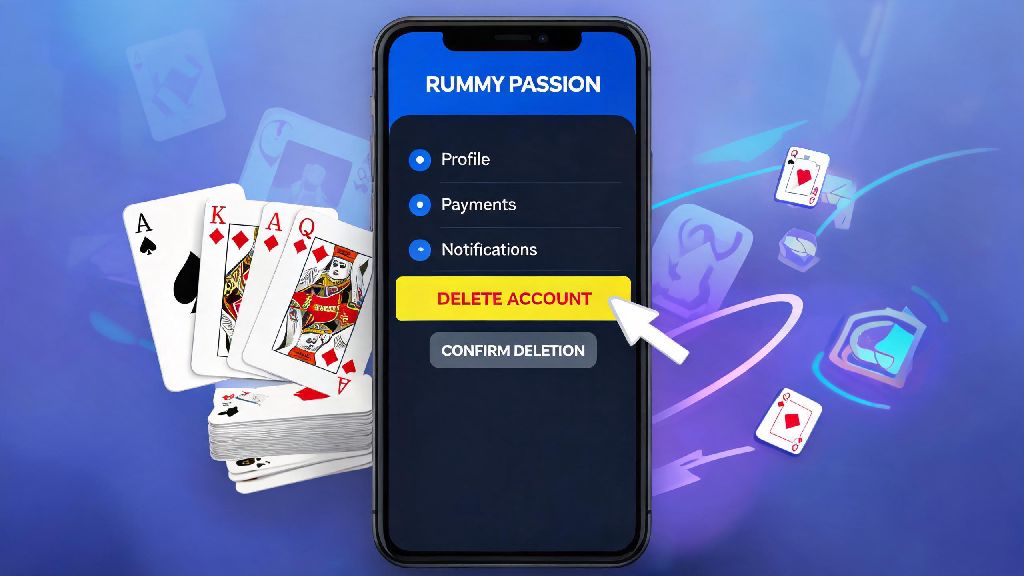
Plenty of people sign up for Rummy Passion looking for a fun, casual way to play their favorite card game online. Maybe you tried it for a few weeks, realized you don’t have time for regular games, or you’re looking to cut back on all online gaming activities to focus on other priorities. If that’s you, you’re probably searching for how to delete Rummy Passion account without running into unnecessary hoops or losing access to your leftover funds. A lot of users run into hidden roadblocks when they try to close their accounts, from pending KYC checks to unwithdrawn cash balances, that delay the process for weeks. This guide walks you through every step you need to take, common mistakes to avoid, and what to expect after you submit your deletion request.
Step-by-Step Process to Delete Rummy Passion Account Directly From the App
The fastest and easiest way to submit your deletion request is directly through the Rummy Passion mobile app, which is what 90% of users use to access the platform. Before you start the process, withdraw all remaining funds first from your wallet. Once you submit a deletion request, you won’t be able to access your wallet to initiate withdrawals, so this step is non-negotiable if you have cash left in your account. You also want to double-check you have no pending tournament entries that haven’t concluded yet, as active tournament participation will automatically reject your deletion request.
Once you’ve handled those pre-requisites, follow these simple steps: Open the Rummy Passion app and log into your account. Tap on your profile icon in the top left corner of the home screen, then select the “Settings” option from the dropdown menu. Scroll down until you see the “Account Management” section, then tap on “Permanently Delete Account”.
The app will then prompt you to enter the OTP sent to your registered mobile number to confirm you’re the account owner. After entering the OTP, you’ll be asked to select a reason for deleting your account from a list of options (you can select “Other” if none of the pre-filled reasons apply). You don’t have to provide a detailed explanation unless you want to. Tap “Confirm” to submit your request.
You’ll get a confirmation email and SMS within 10 minutes of submitting your request, letting you know that your deletion request has been received. If you don’t get this confirmation, it means your request didn’t go through, and you’ll need to try again or reach out to customer support for help.
Common Roadblocks When Trying to Delete Your Rummy Passion Account
Even if you follow the steps perfectly, you might run into issues that stop your deletion request from being approved. Most of these issues are easy to fix if you know what to look for, and they usually relate to unfinished activity on your account. The most common roadblocks users face are:
If your deletion request gets rejected, the first thing you should do is check your email for a notification from Rummy Passion explaining the reason. Most of the time, the issue is related to incomplete KYC, which is a requirement even if you never withdrew funds from your account before. You must complete KYC verification first before the platform can process your deletion request, per Indian gaming regulation rules that require platforms to confirm the identity of all users before closing accounts.
If you have unwithdrawn funds, you’ll need to initiate a withdrawal first, wait for it to process, and then re-submit your deletion request. Withdrawals usually take 24 to 72 hours to process, depending on your payment method, so plan accordingly if you’re in a hurry to close your account. If you have an unresolved support ticket, you’ll need to wait for it to be closed before you can submit your deletion request, as the support team may need access to your account data to resolve the issue.
What Happens to Your Data After You Delete Your Rummy Passion Account?
One of the biggest concerns users have when closing their online gaming accounts is what happens to their personal and financial data after deletion. Rummy Passion follows all Indian data protection regulations, so your data is handled according to strict privacy rules. Immediately after you submit your deletion request, your account is marked as inactive, so no one can log into it, and your profile is removed from all public sections of the platform, including leaderboards and tournament participant lists.
Your personal identifiable information, like your phone number, email address, and PAN card details, are retained for a 90-day cooling period, in case you change your mind and want to restore your account. After the 90-day period ends, all of your personal data is permanently erased from the platform’s active servers, except for transaction history. Your transaction history is stored for up to 7 years as required by Indian tax regulations, but it’s anonymized and not linked to your personal identifiable information after the cooling period ends.
It’s important to note that once the 90-day cooling period is over, you can’t restore your account under any circumstances. If you want to use Rummy Passion again after that point, you’ll have to create a brand new account from scratch, and you won’t have access to any of your old game history, loyalty points, or past transaction records. If you think you might want to come back to the platform later, there are less permanent options you can choose instead of permanent deletion.
Alternatives to Permanent Rummy Passion Account Deletion
Permanent deletion isn’t the only option if you want to take a break from Rummy Passion or limit your time on the platform. A lot of users choose to delete their accounts when they just need a temporary break, and then regret it later when they want to play again. There are several less permanent options that might fit your needs better, depending on why you want to leave the platform.
If you’re looking to cut back on gaming to save money or focus on other priorities, you can use the platform’s self-exclusion feature. You can choose to self-exclude for 7 days, 30 days, 90 days, or even 1 year, depending on what you need. During the self-exclusion period, you won’t be able to log into your account, make deposits, or join tournaments, but all of your funds, loyalty points, and account data will be preserved for when your self-exclusion period ends. Self-exclusion is a better option if you think you might want to return to the platform in the future, since you won’t have to go through the KYC process again or lose any of your existing account benefits.
You can also set deposit limits or play time limits on your account if you don’t want to take a full break, but just want to control how much time or money you spend on the platform. These limits can be adjusted at any time through your account settings, and they’re a great way to practice responsible gaming without deleting your account entirely. If you just want to take a short break for a few days, you can always log out of your account and uninstall the app, no formal request required. You won’t get any promotional messages from the platform if you opt out of marketing communications in your settings, so you won’t be tempted to log back in before you’re ready.
Closing your online gaming account doesn’t have to be a complicated, frustrating process. As long as you take care of all pending transactions, complete your KYC if you haven’t already, and follow the step-by-step process we outlined, you’ll be able to submit your request without any issues. If you run into any problems that you can’t fix on your own, you can always reach out to Rummy Passion’s 24/7 customer support team for help, they usually respond to account deletion queries within a few hours. No matter your reason for leaving, following the steps we outlined will make the process of how to delete Rummy Passion account smooth and stress-free.