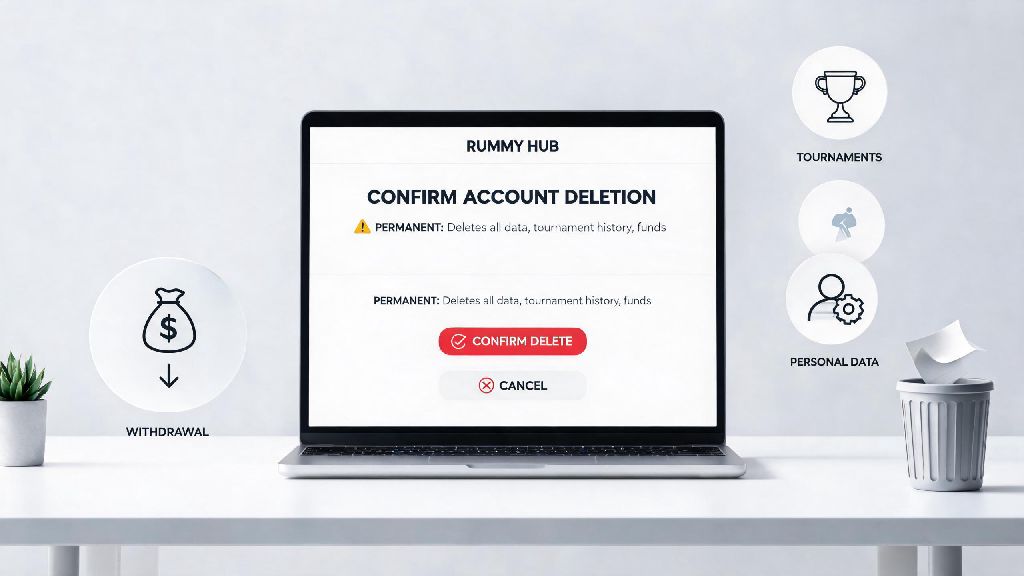
If you’ve been playing online rummy for a while and decided you want to take a break from the game, switch to a different platform, or just remove your personal data from unused gaming sites, you’re probably looking for clear instructions on how to delete play rummy account. Many players run into confusion when navigating account settings, especially if they have pending withdrawals or active tournament entries they forgot to wrap up first. This guide walks you through every step, plus all the pre-deletion checks you need to do to avoid losing access to your funds or personal information permanently.
Pre-Deletion Checks You Must Complete First
Before you even open your account settings to request deletion, there are 4 non-negotiable checks you need to tick off to avoid costly mistakes:
For example, if you have a pending withdrawal that is still processing, wait until it hits your bank account before you request deletion. Some platforms will pause pending withdrawals if they see an account deletion request come through, which can delay you getting your money for weeks or even months. It’s also a good idea to take screenshots of your balance and transaction history before you start the deletion process, so you have proof of your funds if anything goes wrong later. Never initiate account deletion before you have withdrawn 100% of your available balance, even if the platform says they will process refunds after deletion, as these promises are rarely honored.
Step-by-Step Process to Delete Play Rummy Account
The exact deletion process varies slightly from platform to platform, but most follow the same general structure. First, log into your account on either the mobile app or desktop site, using your registered phone number or email address. Go to the settings menu, usually represented by a gear icon in the top right corner or profile section of the app. Look for the "Account" or "Privacy Settings" tab, then scroll until you find the "Delete Account" or "Close Account" option. If you can’t find it, use the in-app help center search bar to look for deletion instructions, as some platforms hide the option to reduce user churn.
Next, you will likely be asked to verify your identity by entering your registered email, phone number, or answering your security question. You may also be asked to select a reason for deletion, which you can choose freely based on your experience. If you are deleting your account because you are struggling with problem gambling, most platforms also let you select that as a reason, and many will offer you the option to self-exclude from all their related platforms for a set period of time, or permanently, if you prefer. This is a good option to take if you don’t want to be tempted to create a new account on the same platform later.
Finally, confirm the deletion request. Most platforms have a cooling off period of 7 to 30 days, during which you can cancel the request if you change your mind. Make sure you do not log into your account during the cooling off period, as many platforms will automatically cancel the deletion request if they detect new login activity. Once the cooling off period ends, your account will be permanently deleted, and all your personal data will be removed from the platform’s servers, in line with local data privacy regulations.
What to Do If You Can’t Find the Deletion Option
Some rummy platforms make the deletion process intentionally hard to find, because they don’t want to lose active users. If you’ve searched through all your account settings and help center articles and still can’t locate the delete account button, you have a few options. First, you can reach out to customer support directly via in-app chat, email, or phone support, and submit a formal deletion request. You will need to provide proof of identity, like a copy of your registered ID or the OTP sent to your registered phone number, to confirm you are the account owner.
Many smaller or regional rummy platforms only accept deletion requests via support, rather than having a self-serve option. For example, if you play on smaller regional platforms in addition to mainstream ones, you may find that the process is less streamlined than what you might be used to. 334 Rummy, for instance, requires users to submit a deletion request directly to their support team via the in-app chat feature, with identity verification completed within 24 hours before the request is processed.
Some platforms also require you to clear any pending dues or negative balances before they will process your deletion request, so make sure you don’t have any unpaid fees or pending charges on your account before you reach out to support. If you do have a negative balance, you will need to pay it off first before your request can be approved. Always follow up on your support request to confirm it has been processed, as some support teams may overlook requests if you don’t send a gentle reminder after 2 to 3 business days. If you still don’t get a response, you can also adjust your account settings to maximize your privacy before abandoning the account: turn off all notifications, remove all saved payment methods, and edit your personal information to random placeholder data so your real details are no longer stored on the platform.
Common Post-Deletion Mistakes to Avoid
Many players assume once they submit a deletion request, they don’t have to do anything else, but that’s not always the case. First, don’t try to log into your account during the cooling off period, as we mentioned earlier, because most platforms will automatically reverse the deletion request if they see new activity. Second, if you have the app installed on your phone, make sure you uninstall it after submitting the request, so you don’t accidentally open it and trigger a login.
Third, check your bank or credit card statements for 1 to 2 months after deletion to make sure no unauthorized charges from the platform come through. If you see any unexpected charges, contact your bank immediately to dispute them, and follow up with the rummy platform’s support team to get a refund. Another common mistake players make is creating a new account on the same platform right after deleting their old one, which defeats the purpose of deleting if you were trying to take a break from the game. If you want to play rummy again later, you can always create a new account, but give yourself the time you intended to take off first before you jump back in.
You don’t have to respond to any win-back offers the platform sends you after you submit your deletion request, as these are automated campaigns designed to get you to reactivate your account. If you don’t want to receive any further communications from the platform, you can unsubscribe from their email and SMS lists at any time, or mark their messages as spam to stop them from showing up in your inbox.
Taking a break from online rummy or switching to a different platform doesn’t have to be a complicated process, and knowing how to delete play rummy account safely ensures you don’t lose access to your funds or leave your personal data exposed on an unused site. Always take the time to complete the pre-deletion checks first, follow the platform’s official process, and follow up to confirm your request has been fully processed before you move on. If you run into any roadblocks along the way, don’t hesitate to reach out to customer support for clarification, as they are required to assist with account deletion requests under most data privacy regulations.