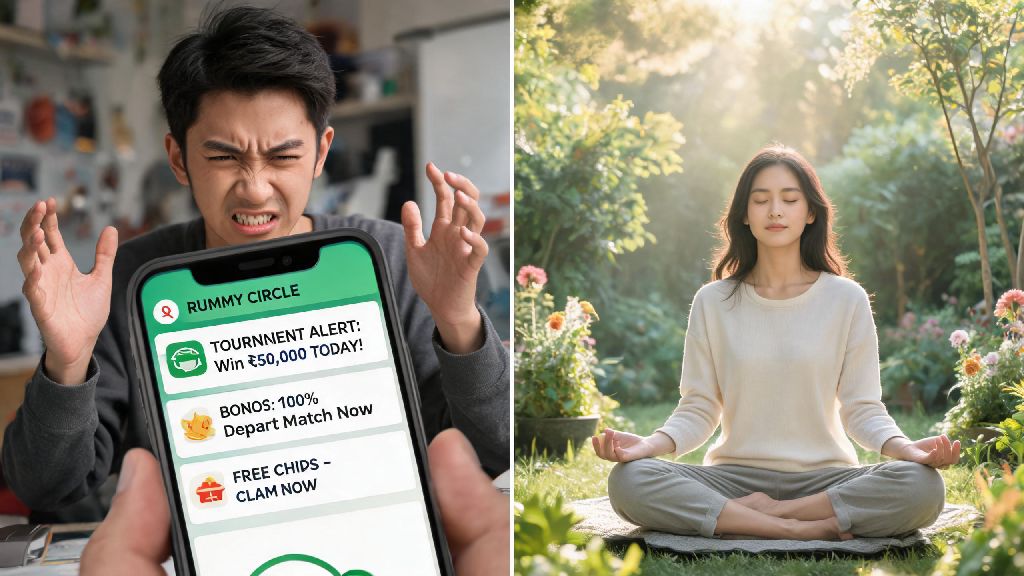
If you’ve ever signed up for a Rummy Circle account to play a few casual games with friends, you’ve probably noticed the constant flood of texts, app alerts, and even calls about new tournaments, bonus offers, and limited-time deals. It’s fun to get updates when you’re actively playing, but when those messages start popping up during work meetings, family dinners, or while you’re trying to sleep, they go from useful to straight-up annoying. That’s why so many players search for how to stop getting messages from Rummy Circle without deleting their account entirely, and we’ve put together all the working methods to help you do exactly that. I’ve spoken to plenty of casual rummy players who deleted their accounts out of frustration with constant messages, only to regret it later when they wanted to play with friends again.
Why you need to know how to stop getting messages from Rummy Circle
Most people sign up for Rummy Circle to play a few games in their free time, not to be added to a non-stop marketing list. It’s common for users to get 3 to 6 promotional messages a day, plus push notifications and occasional voice calls, even if they haven’t logged into the app for months. These messages don’t just waste your time when you check your phone, they can also eat into your mobile data if you have auto-download enabled for MMS alerts. Most users don't realize you don't have to delete your account to stop unwanted communications. Rummy Circle, like all legitimate online gaming platforms, is required by global data privacy rules to give users full control over what communications they receive. You don’t have to put up with constant spam just because you made an account once.
Step-by-step methods to block Rummy Circle notifications directly
The easiest way to cut down on unwanted messages is to adjust your settings directly through the platform first, as this takes less than 5 minutes to complete. Start with the in-app notification settings, which let you pick and choose what alerts you want to get, instead of blocking everything all at once. For example, you can keep alerts for friend game invites but turn off all promotional offer notifications. Follow these steps to adjust your in-app preferences:
If you mostly get unwanted texts instead of app notifications, you can opt out directly via SMS too. Almost all promotional messages from Rummy Circle include an opt-out instruction at the end, usually telling you to reply STOP to the sender ID. Replying STOP to promotional texts will immediately remove your number from their SMS marketing list. For unwanted calls, you can block the specific numbers Rummy Circle uses to reach you directly through your phone’s contact settings. If you don't use the app anymore, you can also uninstall it after adjusting settings to stop app alerts entirely. It’s important to adjust the settings before you delete the app, otherwise your contact details will still stay in their marketing system.
What to do if basic opt-out methods don't work
In some rare cases, you might adjust your settings and reply STOP, but still get messages a week or two later. This usually happens if the platform has multiple marketing lists, and your number was only removed from one of them. If you've tried all basic steps and still haven't figured out how to stop getting messages from Rummy Circle, reaching out to support is the next most effective step. You can send a message to their customer support team through the app’s help section, or via the email listed on their official website, explaining that you’ve opted out of all promotional communications but are still receiving messages. Most support teams process these requests within 72 hours. Always keep a screenshot of your opt-out request or STOP reply as proof if you need to escalate the issue later.
If contacting support still doesn’t fix the problem, you can register your number on your country’s official Do Not Call registry, which blocks all promotional calls and texts from registered businesses. You can also download a third-party spam blocking app for your phone, which automatically filters messages from known gaming platform sender IDs. Third-party spam blockers are especially useful if you receive messages from multiple different sender IDs for the same platform. Just note that these apps can occasionally filter legitimate messages from friends or family, so you’ll want to check your spam folder once a week to make sure you don’t miss anything important. As a last resort, you can file a complaint with your local data protection authority, since platforms that ignore opt-out requests are usually liable for fines under privacy laws.
Common mistakes to avoid when stopping Rummy Circle messages
A lot of people make simple mistakes when trying to opt out of messages that end up making the problem worse, so it’s good to know what to avoid. First, never reply to promotional messages with anything other than the exact opt-out keyword like STOP. Replying with angry texts, or even asking to be removed manually, can sometimes flag your number as active, which means it gets added to more marketing lists instead of being removed. Second, don’t uninstall the app before adjusting your notification settings, because the platform won’t get the signal that you want to stop receiving alerts, and they’ll keep sending texts and calls to your number.
Another common mistake is signing up for cross-promotional offers on the Rummy Circle platform that share your contact details with partner gaming sites. That will lead to you getting spam from dozens of other rummy platforms, not just Rummy Circle, and you’ll have to opt out of each one individually. Never share your primary phone number with gaming platforms if you only plan to use them once or twice. You can use a secondary, disposable phone number for one-off game sign-ups to keep your main number free of spam. If you do use your primary number, make sure you uncheck all boxes that give the platform permission to share your data with third parties when you sign up.
Dealing with constant promotional messages from gaming platforms can take the fun out of casual rummy play, but you don’t have to tolerate constant interruptions. The methods we covered are all tested, free, and take less than 10 minutes to complete, so you can get back to a quiet phone in no time. Whether you’re taking a break from rummy or just don’t want to be bombarded with offers, knowing how to stop getting messages from Rummy Circle is a simple skill that makes your online gaming experience far more enjoyable. If you still run into issues after trying all these steps, you can always choose to permanently delete your Rummy Circle account to ensure your contact details are removed from their system entirely.